

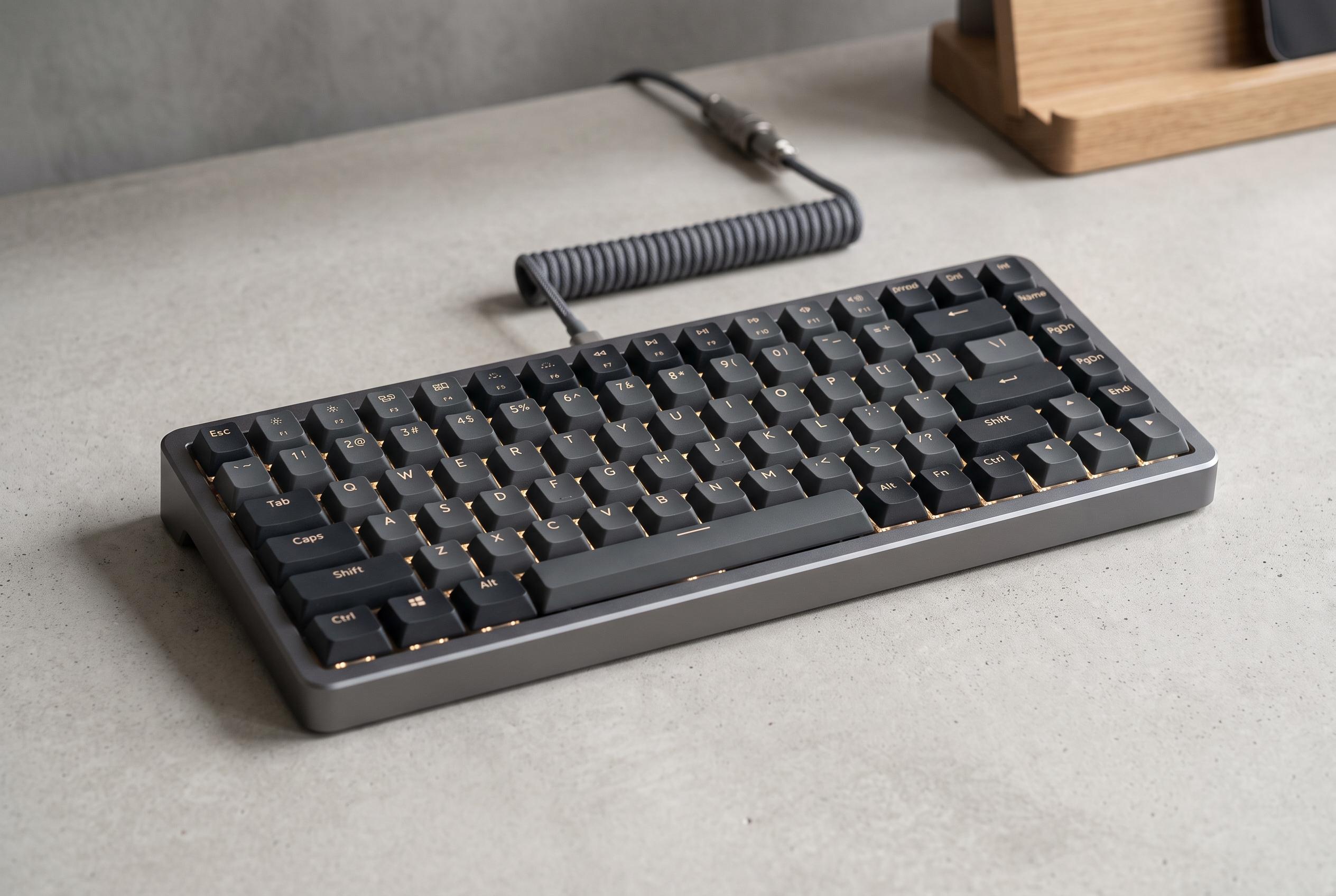

Lofree’s Flow 2 combines aluminium build and sophisticated styling to deliver a premium typing experience, but its high price and subtle flaws may challenge casual users seeking ease of setup and flawless ergonomics.
Lofree’s Flow 2 is a good reminder that a keyboard can feel premium before it has finished being practical. Digital Trends found that the aluminium body, restrained styling and low-profile switches combine to make typing feel unusually light and precise, with the reviewer even recording higher speeds than on a regular mechanical board. Tom’s Guide and PC Gamer reached similar conclusions, describing the Flow 2 as an attractive, polished board with strong typing comfort and a solid metal build.
That appeal comes at a relatively high price. The tested 84-key Mac version costs $159, while other configurations and layouts vary by region and model. RTINGS noted that Lofree now offers a wider spread of sizes, including 68-key, 75% and full-size versions, which broadens the keyboard’s audience but also places it in direct competition with established low-profile boards from Keychron, NuPhy and Logitech.
Where the Flow 2 impresses most is under the fingers. The Surfer switches used on the reviewed model are described as smooth and consistent, with a softer landing than many traditional mechanical keyboards but more substance than a laptop board. Other reviews likewise singled out the keycaps, acoustic tuning and overall sense of refinement, with PC Gamer pointing to internal sound-dampening layers and Tom’s Guide praising the comfortable feel.
The compromises are mostly around the edges. Digital Trends criticised the touch-sensitive strip for accidental activation, and Tom’s Guide and Electroguide made the same complaint, calling its placement awkward. The side-mounted USB-C port can also be inconvenient depending on desk layout, while the wireless receiver has nowhere to store safely in the keyboard itself. RTINGS also flagged intermittent wired connectivity issues, and several reviews noted a faint metallic ping or echo on some units.
Customisation is another mixed area. The Flow 2 supports VIA, which should make remapping and layer changes straightforward, but Digital Trends said the required configuration file was difficult to locate and had to be obtained directly from Lofree. RTINGS also highlighted VIA support as a strength, yet the broader picture is of a keyboard whose software promise is stronger than its out-of-box convenience. For buyers who want a compact, elegant board primarily for typing, the Flow 2 looks compelling; for anyone who values flawless ergonomics and easy setup, its rough edges remain hard to ignore.
Disclaimer: This content is intended for informational purposes only. Readers are advised to exercise their own judgement, conduct due diligence, or consult a qualified expert before acting on any information provided.



