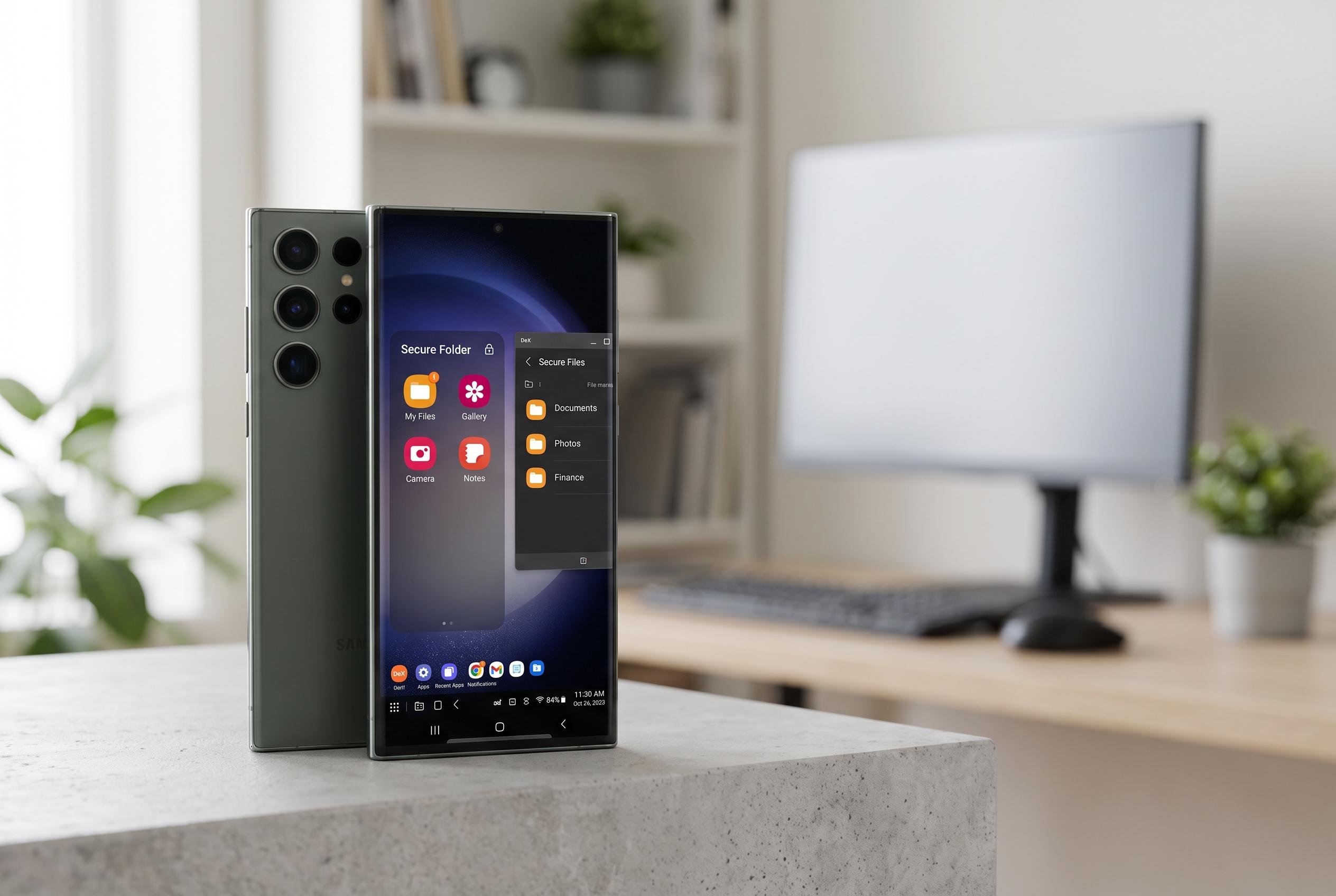

While criticised for bundled software and slow charging, Samsung Galaxy phones offer unique functions such as Secure Folder, Wi-Fi analyser, and DeX that enhance user loyalty and usability.
Samsung Galaxy phones are often criticised for bundled software, adverts and relatively slow charging, yet One UI also contains functions that remain unusual across the Android market. According to MakeUseOf, that is what keeps many Galaxy owners loyal: once these tools become part of everyday use, switching to another phone can feel like a step backwards.
One of the most distinctive is Secure Folder. Samsung says it creates an encrypted, private space for apps, photos and files, protected by a PIN, password or biometric login. The company also lets users hide the folder’s icon entirely, which makes the feature far less visible than comparable privacy tools on some rival phones.
Another useful but often overlooked addition is Samsung’s Wi-Fi analyser. Hidden deep in the settings, it can help users identify weak signal areas at home and show which Wi-Fi channels are crowded by nearby networks. That makes it easier to decide whether to move a router or change a channel to improve stability.
Samsung DeX is a more ambitious feature. By connecting a Galaxy phone to a monitor or television, and optionally attaching a keyboard and mouse, users can turn the handset into a desktop-style workstation. Apps open in resizable windows, a taskbar appears on screen and file management feels closer to a PC than a phone.
Good Lock is where Samsung’s customisation goes further than most Android makers allow. The official module suite lets users adjust camera options, remap hardware buttons and manage battery behaviour in more granular ways. It also includes tools that can set different screen timeout and refresh-rate settings for individual apps.
Samsung’s temporary cloud backup service is another practical benefit. The company says it can store apps, photos, videos, contacts, messages, settings and even Secure Folder data in Samsung Cloud for 30 days, mainly to ease phone transfers or factory resets. Modes and Routines adds automation on top of that, letting the phone change behaviour according to time, location or what is connected, such as raising volume when headphones are plugged in.
Disclaimer: This content is intended for informational purposes only. Readers are advised to exercise their own judgement, conduct due diligence, or consult a qualified expert before acting on any information provided.