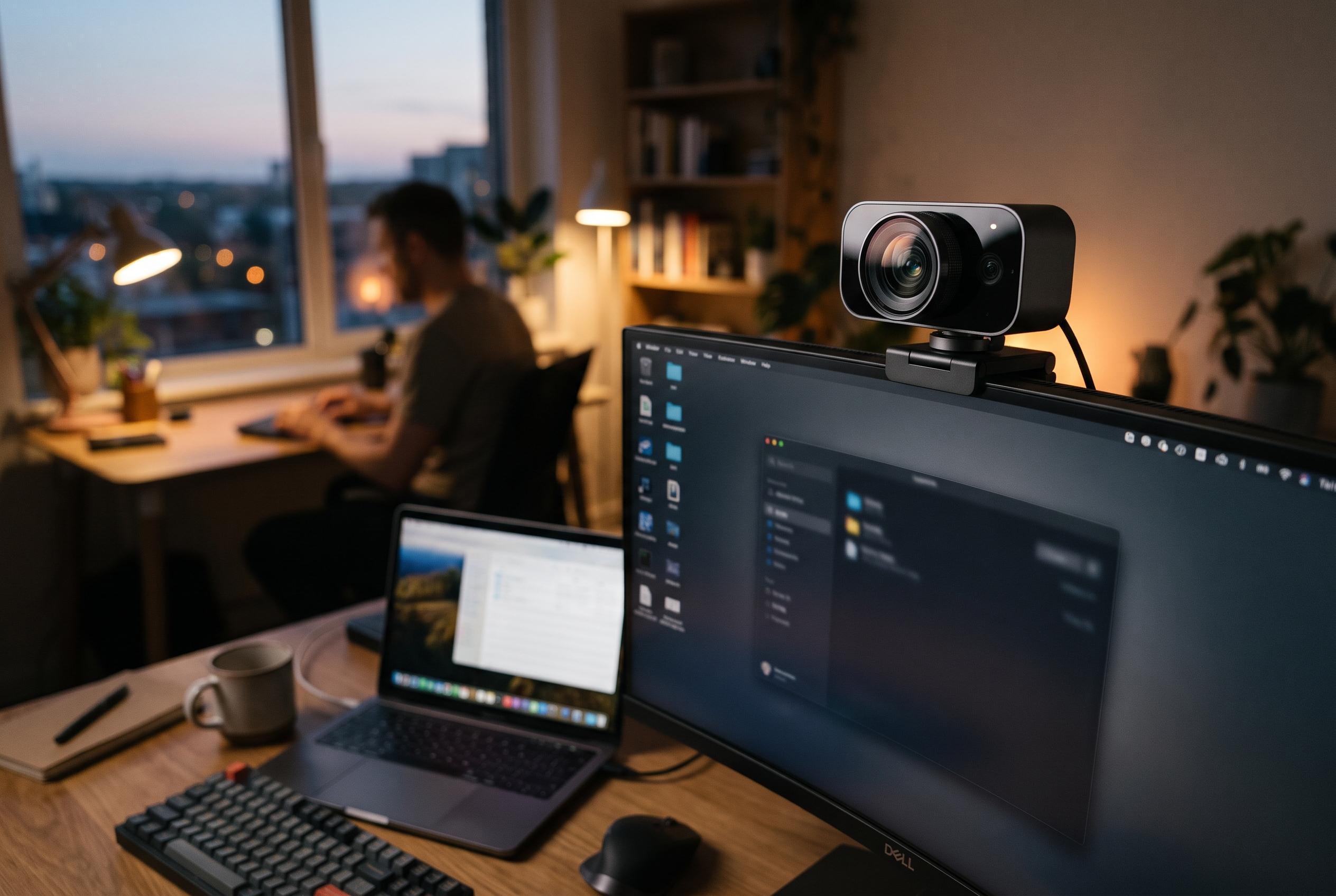

A large sensor and dependable tracking make the $349 webcam stand out in difficult lighting, but a clunky desktop app and lack of a privacy shutter temper its appeal.
The Obsbot Tiny 3 is not an ordinary webcam, and it does not try to be. Cult of Mac’s review argues that its real selling point is not simply 4K video, but the use of a 1/1.28-inch CMOS sensor and an f/1.8 lens, hardware more commonly associated with phones than with conference-room accessories. Obsbot says the camera records 4K at up to 30 frames a second, offers 1080p at up to 120 frames a second, and ships in the United States for $349 with a mount, cable, adapter and carrying case. That places it firmly in premium territory, and it is aimed at users who care about how they look on screen.
That ambition shows up in the footage. The Cult of Mac reviewer found the Tiny 3 markedly better than both a Creative 4K webcam and a MacBook Pro’s built-in FaceTime camera, particularly in low light and in scenes with bright backgrounds. The larger sensor gives the image a more natural depth of field, while skin tones remain stable and noise stays under control. PCWorld reached a similar conclusion, describing the camera as especially capable in difficult lighting, and Digital Camera World also reported strong detail in challenging conditions. For creators, streamers and people who spend long hours on calls, the difference is significant enough to justify attention, even if the price may not justify a casual purchase.
Obsbot has paired that image quality with motorised tracking, and here too the hardware appears to be the main attraction. The camera follows the speaker across the room, supports hand gestures, and includes a Desk Mode that tilts the frame down for demonstrations or sketching. Cult of Mac said the tracking remained reliable over repeated calls, while voice commands such as “Hi Tiny” and “Sleep Tiny” worked well enough in testing, although they became less dependable when the user moved farther away. Digital Camera World noted that combining too many active features can reduce reliability, which is a useful reminder that the Tiny 3 is designed for controlled setups rather than casual plug-and-play use.
The camera’s physical design is compact and neatly built. At 63 grams, it is light enough to move with a laptop, and the aluminium alloy body gives it a more substantial feel than many rivals. The package also includes a storage case, which makes sense because the two-part mounting system is less suited to rough handling. Cult of Mac found that the clip did not fit every monitor equally well, and one thick display chassis required the camera to be positioned off-centre. That is not fatal, because a standard tripod thread is available, but it is the sort of detail that matters if you plan to move the device between desks or workspaces.
Audio is serviceable rather than exceptional. Obsbot says the Tiny 3 uses a three-microphone setup, and the manufacturer’s materials also describe multiple audio modes, including options intended for spatial pickup. In practice, Cult of Mac found the sound good enough for meetings but not a replacement for a dedicated microphone, and slightly behind the MacBook Pro’s own mic in overall quality. One practical advantage is that the microphones can keep working while the camera is asleep, which makes the device more useful for voice typing or quick audio input without waking the video feed.
Where the Tiny 3 stumbles is software. Obsbot Center exposes a wide set of controls, including HDR, autofocus modes, exposure, colour temperature, presets and beauty effects, while the company also offers a mobile companion app and download support for macOS and Windows. But Cult of Mac said the Mac app suffers from truncated labels, a fixed-size window and a confusing layout that makes it harder than it should be to manage such an expensive camera. PCWorld reached a similar judgement, saying the interface can feel cluttered and difficult to navigate. That weakness matters because the Tiny 3 performs best when the desktop software is running in the background; without it, the camera’s capabilities are diminished.
There are also smaller practical drawbacks. Cult of Mac reported that the device became noticeably warm after roughly half an hour to 40 minutes of use, although it did not fail during testing. It also lacks a physical privacy shutter, relying instead on the camera head pointing down when asleep and on a prominent status light to show when it is active. Taken together, the Tiny 3 looks like a product for users who value image quality and tracking above all else, and who are prepared to tolerate awkward software in exchange for a very strong camera system. For those who want the best picture and can live with the price, it is an impressive piece of hardware. For everyone else, Obsbot’s cheaper Tiny 3 Lite may be the more sensible choice.
Disclaimer: This content is intended for informational purposes only. Readers are advised to exercise their own judgement, conduct due diligence, or consult a qualified expert before acting on any information provided.