

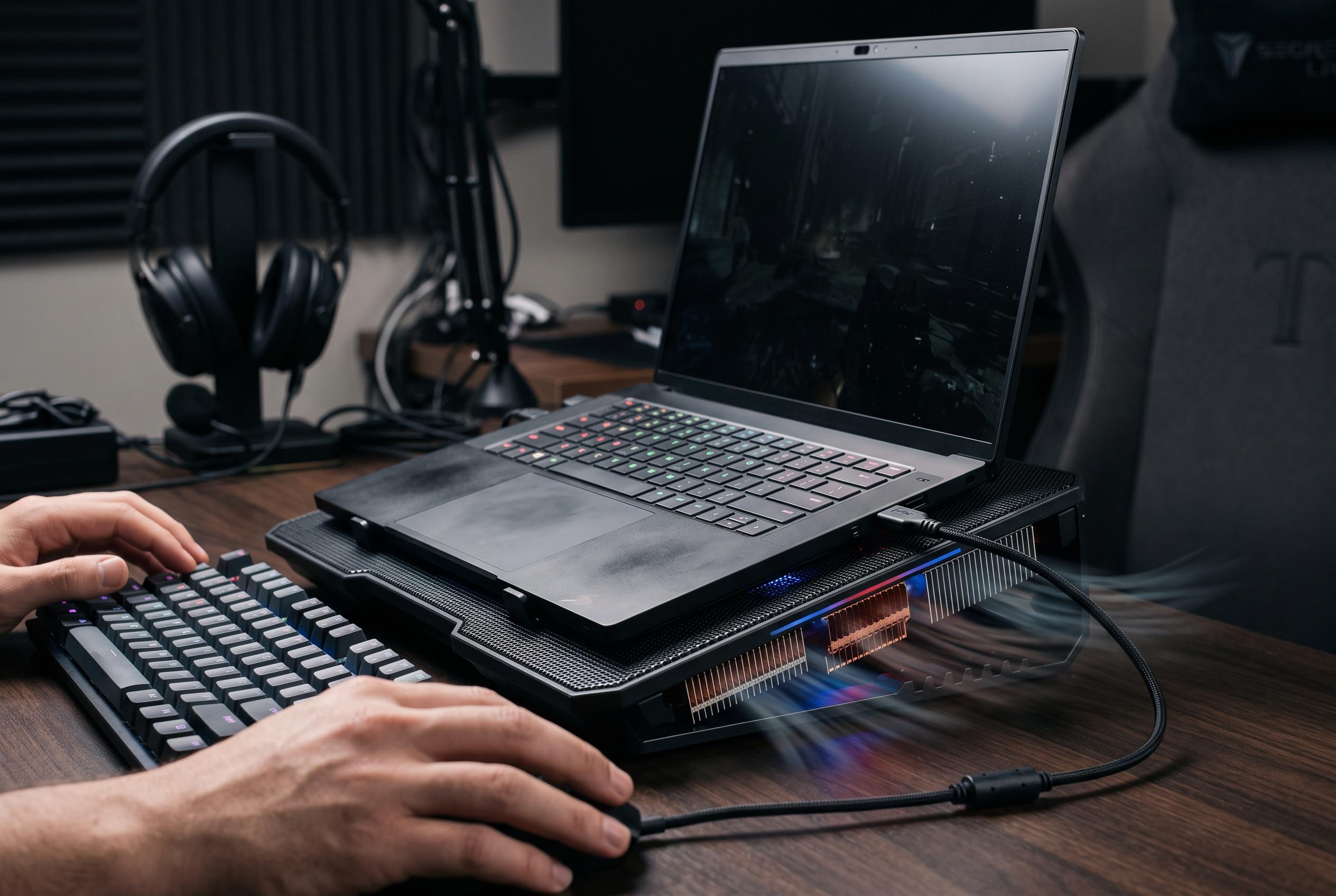

Razer releases a new cooling pad for its Blade 16 laptop, promising improved frame rates and temperature control, though at the cost of increased noise and size, shaping the future of portable gaming performance.
Razer’s latest Blade 16 already arrives as a highly capable machine, pairing Nvidia’s RTX 5090 Laptop GPU with an unusually thin 14.9 mm chassis and a 240 Hz QHD+ OLED panel, according to the company’s launch material. Independent reviews have also described it as one of the most portable high-end gaming laptops on the market, albeit an expensive one that can run hot and loud under load. Against that backdrop, Razer’s Laptop Cooling Pad is a pragmatic add-on rather than a novelty, aimed at giving the machine a little more headroom without any overclocking or other risky adjustments.
The accessory itself is built around a raised platform and a sealed airflow design that pushes cool air towards the laptop’s intake points while helping expel warm air more efficiently. Razer supplies three magnetic inserts for 14in, 16in and 18in notebooks, and the unit also adds three rear USB ports alongside RGB lighting and manual controls for power, lighting and fan speed. In practice, the software matters most: Razer Synapse lets users set fan behaviour by game, while Hyperboost is designed to raise CPU and GPU power limits on supported Blade systems.
That extra thermal management translated into measurable gains in testing. On the Blade 16, frame rates improved in every title tried, with the biggest uplift seen in Shadow of the Tomb Raider, which gained 17fps at native resolution. Lighter, less GPU-bound workloads benefited more than heavily demanding ray-traced scenes, where the uplift was modest. Temperature reductions were more striking, averaging roughly 9C to 10C lower than running the laptop alone, which should help preserve component longevity over time. Razer’s own Blade 16 hardware, meanwhile, already uses a vapour chamber and dual fans, so the cooling pad is best seen as a supplement rather than a fix.
The trade-offs are predictable. The pad is bulky enough to challenge smaller desks, requires mains power, and gathers dust quickly on its all-black finish. Noise is the main drawback: at full speed, the 140 mm fan is loud enough to make headphones close to essential, and that will limit its appeal for quieter workspaces. Even so, for owners of a recent Blade 16 who game mainly at a desk, the combination of modest performance gains, lower temperatures and added connectivity makes the accessory easier to justify than its price might initially suggest. For buyers who only want basic cooling, cheaper alternatives exist, but they will not offer the same integration or software control.
Disclaimer: This content is intended for informational purposes only. Readers are advised to exercise their own judgement, conduct due diligence, or consult a qualified expert before acting on any information provided.



