
As Wi-Fi standards advance with Wi-Fi 6E and Wi-Fi 7, splitting home networks into separate SSIDs for 2.4 GHz, 5 GHz, and 6 GHz bands offers improved device pairing, better management, and enhanced security amid increasing smart home complexities.
For years, the default home Wi-Fi setup seemed simple enough: one network name, automatic band steering and no need to think about which device used which frequency. But as routers have become more ambitious, especially with tri-band systems and Wi-Fi 6E or Wi-Fi 7, that convenience has started to cause friction for some households. A single SSID can hide a great deal of complexity, and for smart homes in particular it can make pairing, roaming and troubleshooting far less predictable.
The main problem is that many connected devices still rely on 2.4 GHz, which offers better range but less speed, while phones, laptops and handheld consoles often prefer 5 GHz or 6 GHz. When those bands are merged under one name, band steering tries to decide for them. In practice, the device often wins the argument. That can leave smart plugs, cameras and other IoT devices struggling to pair, or phones clinging to the wrong band long after they should have moved on. Separating the bands gives each one a clear role and removes much of that guesswork.
The article’s practical point is that this is not just a convenience fix but a network design choice. Putting IoT devices on their own 2.4 GHz network can make setup easier and can also support better segmentation, so less-trusted devices are easier to isolate with firewall rules. That approach also reflects common guidance from router setup articles, which note that splitting 2.4 GHz and 5 GHz bands often improves control over device connections, especially when older or less capable gadgets are involved. Other guides go further, describing separate networks as a way to improve security and reduce congestion across a busy home.
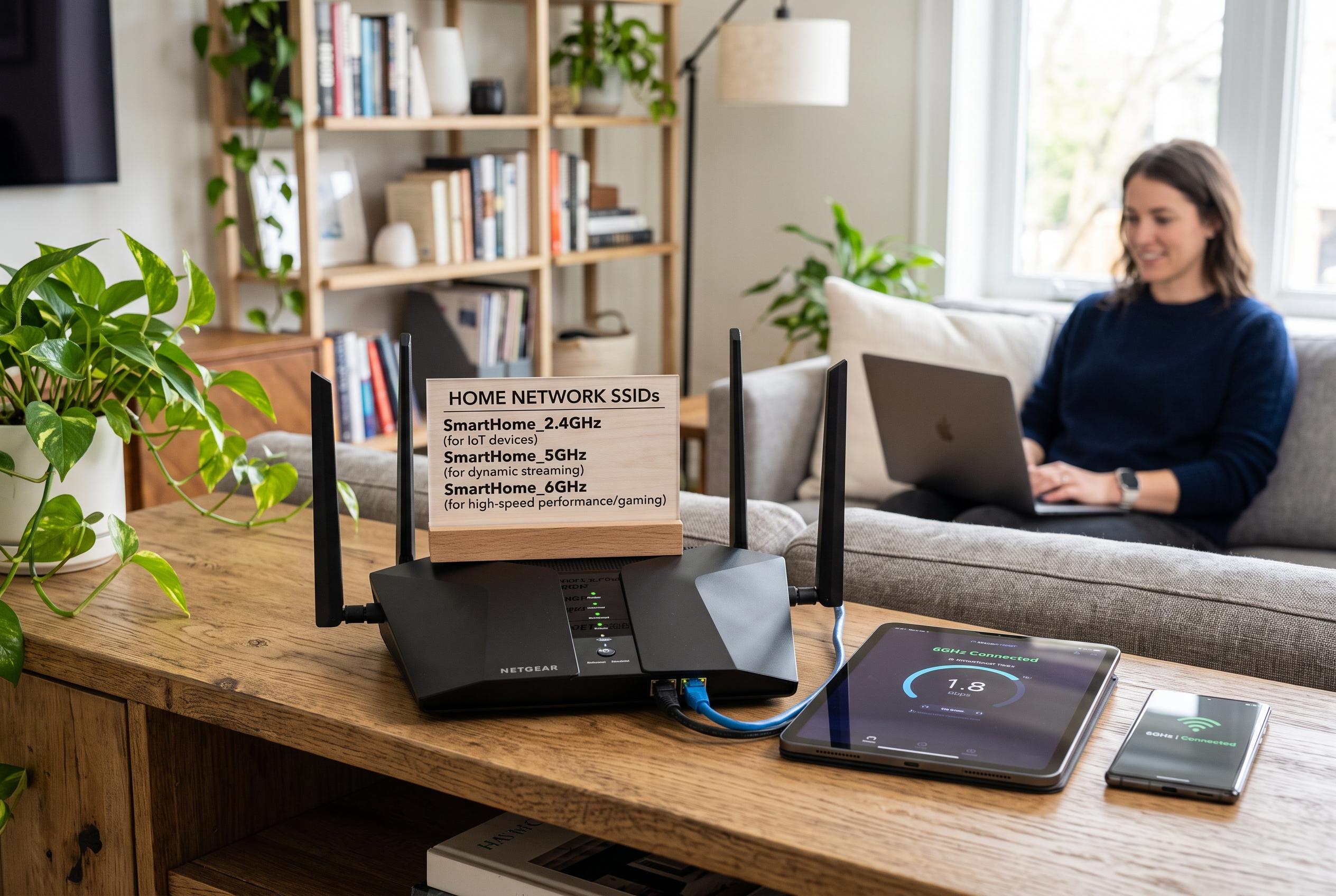
The case for a split is even stronger with 6 GHz. Because Wi-Fi 6E and Wi-Fi 7 require WPA3 on that band, a combined network can force older devices into awkward compatibility mode or lock them out altogether. A more workable arrangement is often three SSIDs: 2.4 GHz for IoT, 5 GHz for most devices and 6 GHz for newer hardware that can take advantage of the speed boost. The article also notes a technical detail that many users miss: 6 GHz discovery depends on information broadcast through the lower bands, so the faster network is not truly independent of them.
That does not mean a single network is obsolete for everyone. Modern routers still make combined naming attractive, and for many homes it remains the simplest option. But the broader lesson is that a tidy Wi-Fi name can conceal poor behaviour. For households dealing with flaky smart-home setup, stubborn roaming or inconsistent access across bands, splitting the network may be the most effective change available before buying new hardware.
Disclaimer: This content is intended for informational purposes only. Readers are advised to exercise their own judgement, conduct due diligence, or consult a qualified expert before acting on any information provided.