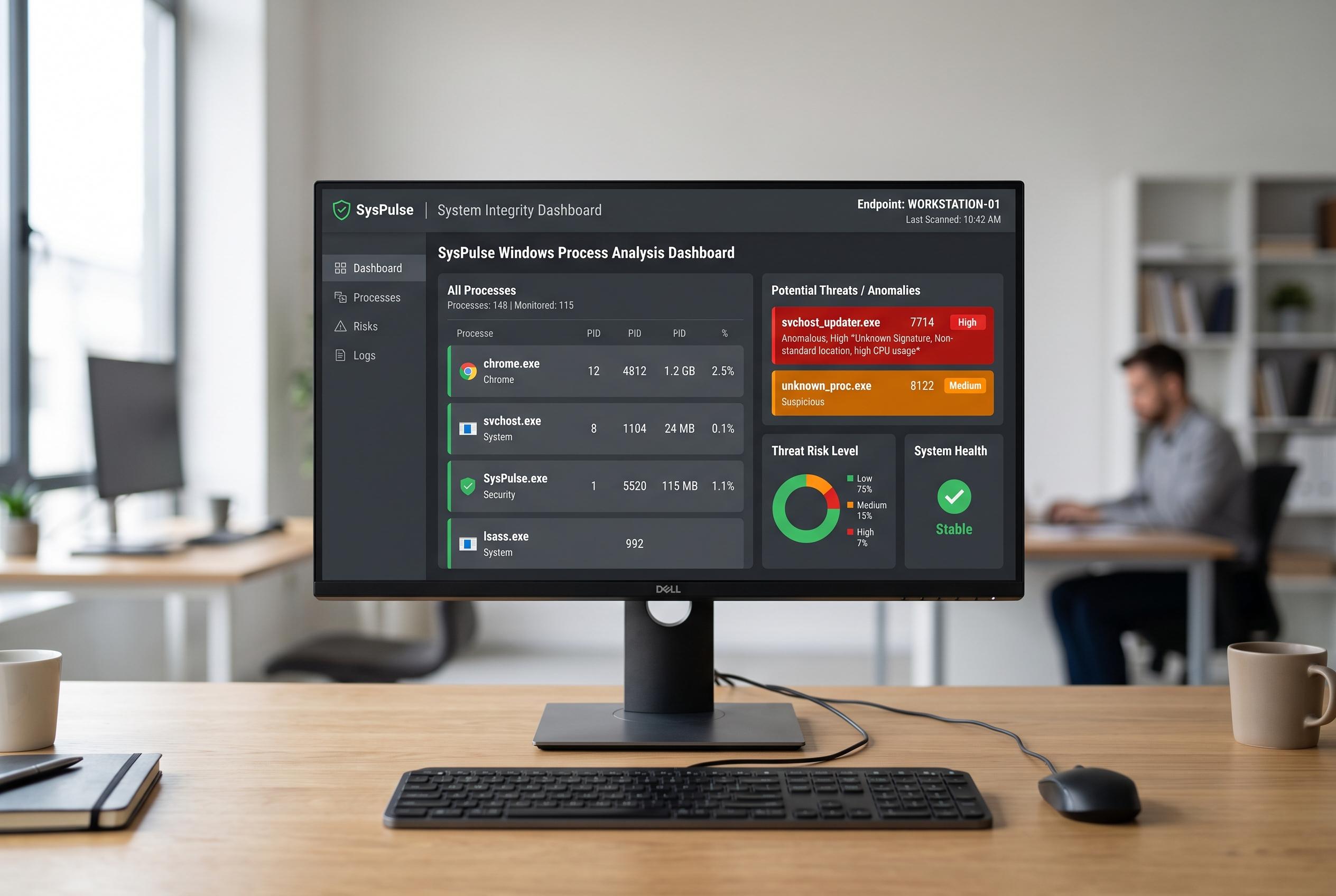

A new approach to Windows process analysis highlights the importance of context, location, and behaviour in detecting malicious activity, with SysPulse offering automated insights to improve system security.
A recurring Windows process is not, by itself, proof of infection. Drivers, updaters, security tools and ordinary applications can all launch in the background at sign-in, which is why the real question is not whether a name looks familiar but why it starts, where it runs from and what is relaunching it. The article that introduced SysPulse frames that as a visibility problem: if users only notice a process after it has already appeared, they may miss the clues that explain it.
The first step is basic identification. Task Manager can show the process name, but that is only the beginning. An unfamiliar executable becomes more suspicious when it is installed in an unusual location, lacks a clear publisher, starts automatically or returns after being ended. Microsoft’s own guidance on Defender service issues also shows why context matters: the status of security components, their configuration and related policies can all affect what users see on a system, and not every unexpected change means the same thing.
File location and digital signature provide the next layer of evidence. A process in Program Files is not automatically safe, and a file outside it is not automatically dangerous. What matters is whether the executable path makes sense for the software involved and whether the signature matches a credible publisher. Articles on Windows process analysis commonly use svchost.exe as an example: the name is legitimate in many cases, but its authenticity still depends on the correct system path and a valid Microsoft signature.
If the same process appears after every reboot, the question shifts from identification to persistence. Windows can relaunch software through the Startup list, services, scheduled tasks, registry entries or update components, so an empty Startup tab does not end the inquiry. Guidance on suspicious tasks and persistence mechanisms also warns that attackers often hide in scheduled jobs or Startup folders because these launch quietly and are easy to overlook during a routine check.
PowerShell can help when Task Manager is too limited. Commands such as Get-Process can return the process name, identifier and executable path when Windows allows it, giving investigators a more complete view without installing another tool. That matters because Task Manager only shows a snapshot. A process that starts and exits within seconds may never be visible long enough for manual inspection.
The article also argues that hidden supporting components are often missed. A visible desktop app may be only part of the picture, with helper processes, update agents, tray items, background services and driver-related components doing the work. That is why the presence of a process is less important than the relationship between the process and the rest of the system. If Windows Defender is unexpectedly disabled, or if another security indicator changes at the same time, that should be treated as a separate lead rather than ignored.
SysPulse is presented as a response to that problem. Instead of waiting for users to spot unfamiliar activity in Task Manager, it is intended to surface new processes, paths and timing details as they appear. The underlying workflow is straightforward: detect, identify, investigate and decide. For users faced with an unfamiliar executable, that means recording the name, checking the file path, reviewing the signature, examining startup mechanisms, running a security scan and then tracing what launched it. The point is not to assume malware every time Windows starts something new, but to gather enough evidence to judge whether the behaviour is normal or worth deeper investigation.
Disclaimer: This content is intended for informational purposes only. Readers are advised to exercise their own judgement, conduct due diligence, or consult a qualified expert before acting on any information provided.