

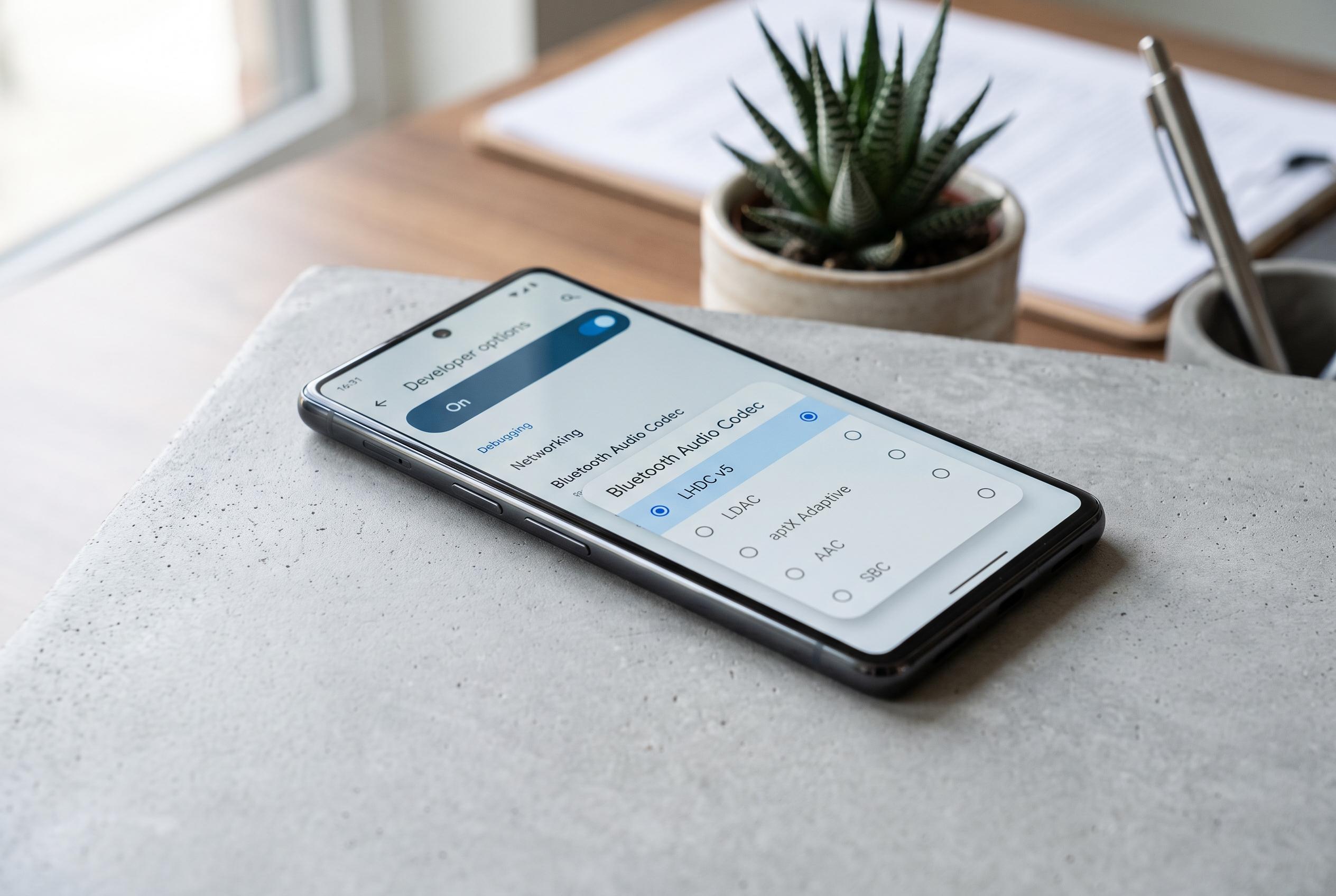

Google’s latest Android update enables supported Pixel phones to access high-definition Bluetooth audio with LHDC v5, promising improved clarity for compatible earbuds but limited to select hardware and hidden within Developer Options.
Android 17 is bringing a notable but narrowly targeted upgrade to wireless audio on supported Google Pixel phones: native support for LHDC v5, a high-definition Bluetooth codec designed to preserve more of the original recording than standard wireless formats. According to reporting from Android Central, Android Authority, Yahoo Tech and other outlets, the feature is tucked away in Developer Options rather than exposed as a mainstream sound setting, which means most users will only see it when they connect compatible audio gear.
The change matters because Bluetooth audio has long involved compromise. As Android Authority and SoundGuys explain, LHDC v5 can raise bitrate substantially, with support for high-resolution playback up to 24-bit/192kHz on compatible hardware and a peak data rate of roughly 1Mbps. In practice, that can mean cleaner detail, less audible compression and better separation between instruments, although it is still not true lossless audio because Bluetooth links do not offer the bandwidth of a wired studio connection.
Hardware compatibility remains the main limit. Android Central reported that earbuds and headphones must also support LHDC before the codec becomes available, and that products from brands such as Nothing and OnePlus are among the better-known options. Google’s own Pixel Buds Pro 2 do not support LHDC, which means Pixel owners may need third-party earbuds to benefit from the new codec. Android Authority also noted that the feature is likely to matter most when paired with hi-res audio files and streaming services that can actually supply that quality.
Enabling LHDC v5 on a supported Pixel appears to require opening Developer Options, which is typically done by tapping the build number repeatedly in the phone’s About section before selecting the Bluetooth audio codec menu. Once a compatible headset is connected, the codec can appear as an option, although it may remain unavailable if the accessory does not support it. The broader significance is less about one hidden setting than about Android moving closer to system-level high-quality wireless audio, with future support on more handset makers likely to depend on whether accessory makers and phone manufacturers adopt the same standard.
Disclaimer: This content is intended for informational purposes only. Readers are advised to exercise their own judgement, conduct due diligence, or consult a qualified expert before acting on any information provided.



