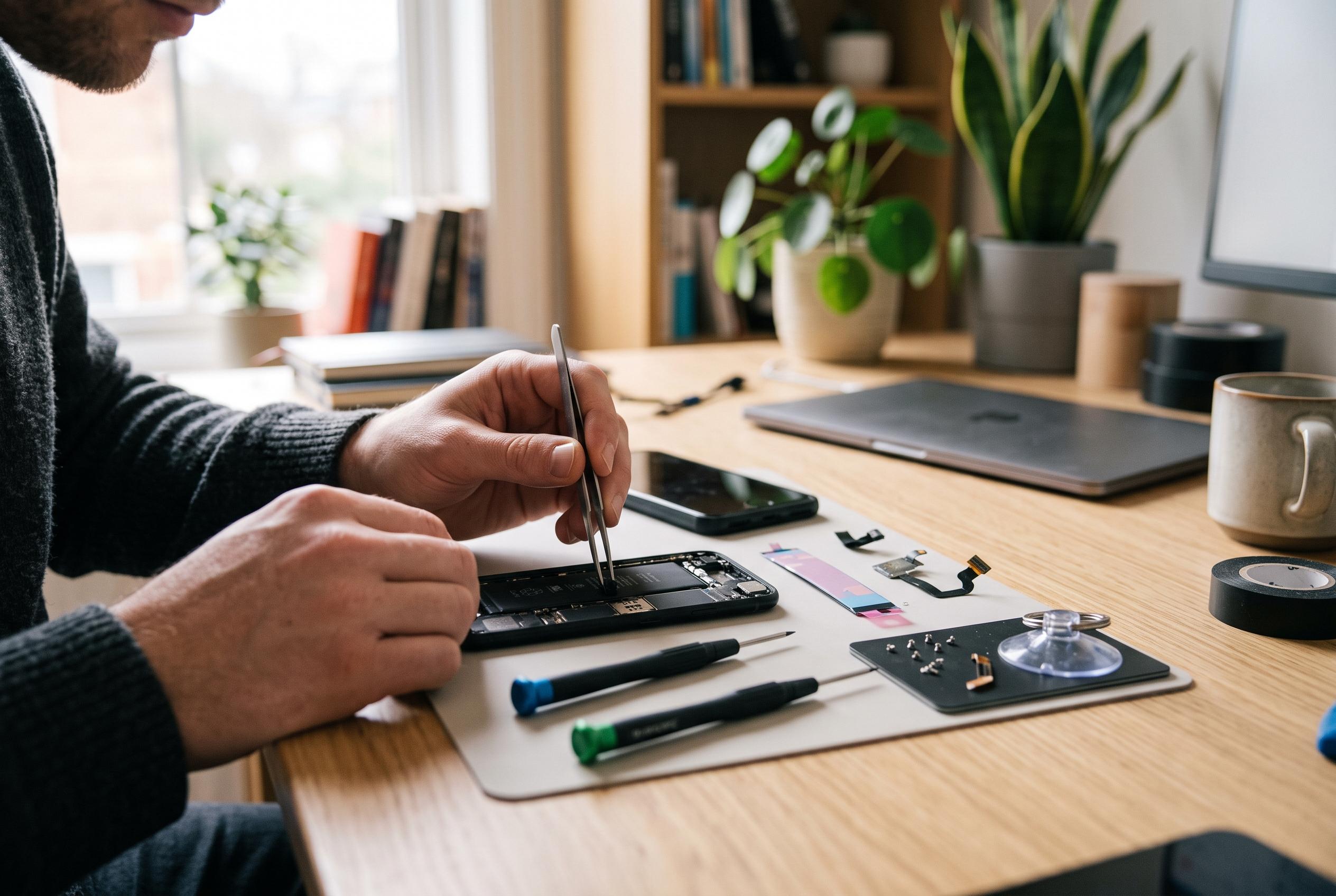

Restarting, cleaning and replacing some components can resolve common phone faults, but swollen batteries, liquid damage and scorch marks demand professional attention.
Many smartphone faults can be resolved at home without a workshop visit, provided the problem is correctly identified and the repair stays within safe limits. The practical boundary is simple: software faults, cleaning jobs and routine component checks are usually manageable; damage involving swelling batteries, corrosion or burn marks is not. Google’s Android support guidance and repair specialists alike stress the same principle: start with the least invasive fix, and stop if the fault points to internal damage or a safety risk.
The first step is preparation. Back up photographs, contacts and messages before touching anything, then switch the phone off, unplug all cables and work on a clear, well-lit surface. Taking photographs during disassembly can help enormously when parts must be reassembled later, and keeping screws sorted by position reduces the risk of damaging the board with the wrong fastener. That discipline matters because many apparently simple faults are made worse by rushed handling rather than by the original defect.
For software-related problems, the usual remedies remain the most effective. If a handset is freezing, running slowly or refusing to behave normally after an update, restart it, clear unneeded files, remove unused applications and check whether any pending system updates are waiting to be installed. Google advises similar steps for an unresponsive screen: remove any case or screen protector that may interfere with the display, make sure the glass is clean, and try a force restart before moving to more drastic measures such as a factory reset. Guides from Technobezz, Tech2Go and TechSpecs make the same broad point on sluggish Android devices: storage pressure, outdated apps and weak settings are frequent causes, and they are often fixed without tools.
Battery life is another common complaint, but it is not always a sign that the handset is failing. High screen brightness, heavy app activity and location services can drain power quickly, so reviewing battery usage in settings is a sensible first move. If the battery health reading has fallen below about 80%, the cell may simply be ageing. At that point, the issue may still be manageable, but the diagnosis is more important than the symptom: a worn battery behaves differently from a charging fault, and each calls for a different response.
A second tier of repairs involves basic cleaning and careful handling. Lint in a charging port, dust on a microphone, grime on a camera lens or debris around sticky buttons can all create problems that look more serious than they are. A wooden toothpick, a soft brush or a microfibre cloth is often enough, used gently and without liquids near openings. Repair specialists repeatedly warn against metal tools inside a charging port, because they can damage the contacts or cause a short circuit. Moisture is equally risky, since it can travel deep into the handset before any visible effect appears.
Where the fault involves cracked glass, a worn battery, a loose SIM tray or a failed charging port, the repair becomes more technical. SamMobile and other repair guides note that these are among the most common problems people attempt at home, but they require the right kit: precision screwdrivers, plastic picks, tweezers, a suction cup and controlled heat to soften adhesive before opening the device. The process is delicate because modern phones are held together by clips, glue and tiny screws, and the battery connector should always be disconnected before any other internal part is handled. Testing the phone before it is sealed again can save time and prevent repeat disassembly.
Not every fault should be treated as a do-it-yourself job. A swollen or leaking battery, corrosion from water ingress, repeated shutdowns while charging, a strong chemical smell or visible scorch marks are all reasons to stop. Once a circuit board is damaged, the equipment needed to diagnose and repair it properly is usually beyond a home kit. In those cases, the safer and often cheaper option in the long run is to use a qualified technician rather than turning a manageable fault into a larger and more expensive failure.
The broader lesson is that home repairs work best when the problem is understood first and the response is kept proportionate. Routine software fixes, light cleaning and some component swaps are realistic for careful users. Anything involving power cells, liquid damage or internal board faults deserves professional attention. A patient approach, a proper backup and the right tools can solve many everyday phone problems; knowing when to stop is what keeps them from getting worse.
Disclaimer: This content is intended for informational purposes only. Readers are advised to exercise their own judgement, conduct due diligence, or consult a qualified expert before acting on any information provided.